
 🔥 Hot
🔥 HotUI
Shop UI
CT
CartUITop RatedModern shop interface for ESX & QBCore stores

A modern animated HUD UI for FiveM — clean player status icons, repositioned minimap, vehicle speedometer, compass, money display, and full in-game customization. ESX & QBCore compatible out of the box, standalone fallback available, drops onto any server.
Trew HUD is one of the most installed custom HUDs in the FiveM community — built around a minimal visual style that replaces the cluttered stock GTA HUD with a clean, roleplay-ready interface. The player status cluster shows health, armor, hunger, thirst, stamina, and stress with smooth fill animations and color-coded low-state warnings. The minimap is repositioned to the bottom-right corner with a circular or square frame option, scaled for 1080p, 1440p, and 4K displays. The vehicle section adds an analog-style speedometer with digital readouts, RPM gauge, fuel gauge, gear indicator, and seatbelt warning. Players can customize HUD position, scale, opacity, colors, and which elements are visible through an in-game menu (/hud). Ships with 12 preset color themes plus full hex customization. Delivered as a standard NUI resource — works with any framework and any economy/inventory script that exposes player state events.
Health, armor, hunger, thirst, stamina, stress & oxygen.
Bottom-right circular or square frame — scaled for all resolutions.
Speedometer, RPM, fuel, gear indicator & seatbelt warning.
Rotating compass with N/E/S/W and current street display.
Cash, bank & dirty money — with pop-up change notifications.
Voice range, talking state & radio channel display.
Toggle elements, reposition, scale, opacity & color picker.
Dark, light, neon, classic & custom hex colors.
Fill bars, fades & scale transitions — 60 fps UI.
Works on both frameworks with a toggle — QBox supported too.
1080p, 1440p, 4K & ultrawide aspect ratios supported.
Low resmon & CPU impact — tested on 200+ slot servers.
Yes — Trew HUD ships with built-in bridges for both ESX and QBCore. Toggle your framework in config.lua and the HUD reads player state events correctly. Also works standalone with a fallback adapter.
Trew HUD replaces the stock GTA HUD and any custom HUD you currently run. If you have another HUD resource, disable it in server.cfg before starting Trew HUD. The docs include a compatibility checklist for common HUD packages.
Yes — the /hud command opens an in-game menu where each player can toggle elements, adjust position and scale, change opacity, and pick colors. Settings are saved per-player via KVP (local storage) by default, or via your server database if you wire up the optional persistence.
Yes — the minimap is scaled and positioned via a resolution-aware script that adapts to 1080p, 1440p, 4K, and ultrawide (21:9 and 32:9). No manual config needed per resolution.
Yes — 12 preset themes are included out of the box, plus full hex color customization through the in-game menu and config.lua. Fonts can be swapped in the CSS if you want a different typeface.
The Standard and Premium packages include adding custom status icons with their own fill logic — drug effects, bleeding, poisoning, temperature, or any other state your server tracks. Send the stats you want and the designer will wire them into the HUD.
A full money-back guarantee applies. If the HUD isn't delivered as described, you're covered. The designer also offers revisions and remote troubleshooting on your server.
FiveM HUD & UI Designer · Top Rated Seller
FiveM UI/UX designer specializing in HUDs, status overlays, and in-game menus. 6+ years building lightweight NUI interfaces with clean React and vanilla JS, tuned for low resmon impact and high-pop servers. 3,400+ delivered HUDs across ESX, QBCore, and custom frameworks. Trew HUD is installed on some of the largest FiveM roleplay servers worldwide.
Pair with inventory, economy & server scripts.
🔥 HotModern shop interface for ESX & QBCore stores
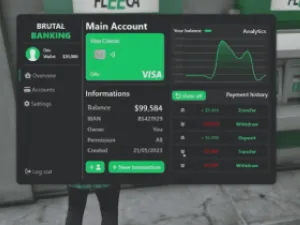
ATMs, accounts, transfers & loans
 🔥 Hot
🔥 HotHire a top-rated dev to build any custom FiveM script
Block injectors, god mode & resource cheats